
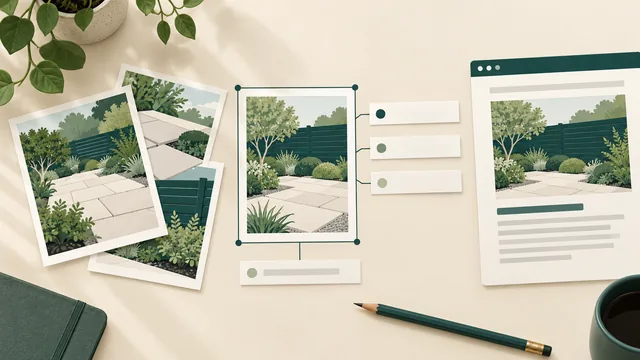
Give each project photo a useful place on your website, a short descriptive filename and text that explains its purpose. Keep the image, description and surrounding page consistent. Adding a list of services and suburbs to every image is no substitute for describing the work accurately.
For an Australian service business, this preparation can begin before the photos reach the website editor. Choose an approved image, identify what it contributes to the page and supply the relevant wording. Technical delivery and search visibility still need separate checks; this process does not guarantee that a photo will appear in Google Images.
Describe the image you are publishing. Put supporting project facts beside it, and keep claims about the business tied to evidence that supports them.
Give the Photo a Relevant Home
Start with the subject of the image and the question it helps answer. A close view of paving might explain a finish on a landscaping service page. A wider project view might belong in a project story that explains the overall work. Choose the page because the image helps the reader understand that subject.
Google's image SEO guidance explains that page content, captions and image titles provide information about an image. It recommends placing images near relevant text and on pages related to their subject. The page is part of the explanation, rather than a container for unrelated pictures.
Write enough surrounding text to make the relationship clear. What service does this illustrate? What did the business do, and what useful detail can the reader see? Keep the explanation factual. A photograph cannot establish hidden workmanship, a qualification or a result that has not been measured.
Begin with photos you are entitled to publish. Our project-gallery guide covers selecting job photos, permission records and factual project captions. This article addresses the next content task: preparing the image's filename, text alternative and page context for its intended use.
Choose a Short Descriptive Filename
Google describes filenames as a very light clue to an image's subject. Use a short name that identifies what the file shows, rather than leaving an unexplained camera number. Treat this as a useful publishing habit, without presenting a filename change as a ranking strategy by itself.
For a new upload showing a paved garden path, a name such as garden-path.webp is understandable. The actual file extension must match the prepared file format. Ask the website editor to manage that technical detail; changing the letters at the end of a filename does not convert the image.
Avoid repeating a long keyword list in the filename. Adding every suburb the business serves does not make one photograph evidence of work in those places. If a location is relevant and approved for publication, keep it accurate and proportionate to the image and project context.
Agree names before uploading new files where practical. Existing public image addresses may already be used elsewhere on the site or in other material. Ask the website owner to handle any proposed replacement or address change with its dependencies in view, rather than renaming live files in bulk for tidiness.
Keep the source image and the prepared website version distinguishable in your own records. The website copy should be traceable to the approved source and its intended page. That helps the next person update the image without guessing which project or version it belongs to.
Write Alt Text for the Image's Purpose
Alt text provides a text alternative for an image. W3C's informative-image guidance explains that the alternative should convey the meaning or information the image contributes in its context. It is not necessarily an inventory of everything visible in the frame.
Ask what the reader needs from this particular image. If the point is the paving pattern, describe that relevant feature. Do not spend the description on incidental sky, garden furniture or other details unless they matter to the reason the image is there.
Google also uses alt text with page content and its other image-understanding methods. Its guidance warns against stuffing the attribute with keywords. Write a useful description instead of copying the same sales phrase onto every photo. A natural service term may fit when it accurately describes what the image contributes.
Do not guess materials, product models, locations or work stages from appearance alone. Check the approved project information or use a less specific description. If the distinction is important and cannot be confirmed, ask the person responsible for the project before publishing it.
The same image can serve different purposes in different contexts. Have the editor check the text alternative where the image is used, rather than assuming one media-library description will always be suitable. Images that act as controls or contain complex information need a review of that actual use.
Keep Captions and Decorative Images Distinct
A visible caption helps everyone reading the page. It can explain approved project context that is not apparent from the picture: what the business handled, which stage is shown or why the detail matters. Alt text and captions have related jobs, but they should not become matching blocks of repeated advertising copy.
Some images add visual decoration without contributing information in that context. W3C's decorative-image guidance explains using an empty alt attribute for such images so assistive technologies can ignore them. That is a deliberate decision about purpose, rather than a reason to leave informative photos undescribed.
Ask the editor to distinguish an empty alt attribute from a missing attribute. Also avoid labelling every service-page photograph decorative merely because the page already contains text. Decide whether the image itself adds information the reader needs.
For linked images, buttons, diagrams or text embedded in pictures, agree the appropriate alternative with the person reviewing accessibility. A short project-photo worksheet does not assess every image type or establish accessibility conformance for the website.
A Worked Example: A Landscaper's Garden Path Photo
Illustrative example only: no actual project photo, client work or search result is being claimed.
A landscaping business has permission to use a photograph showing a completed paved path through a garden. The approved project record confirms the work shown. The image is intended to illustrate a relevant paving service, with a short explanation alongside it.
The owner and editor prepare the different pieces below. These are possible words for this example, not a template to paste onto unrelated jobs.
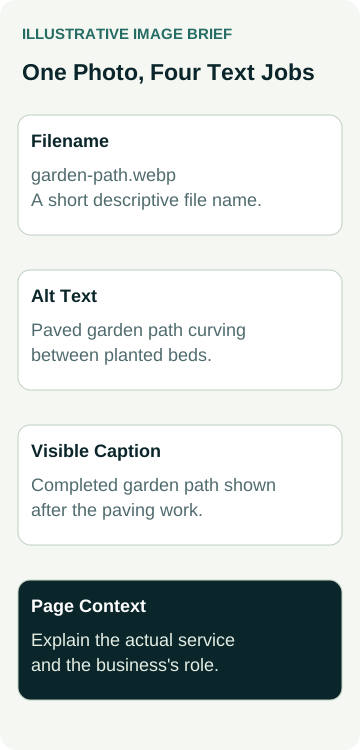
| Content Part | Example Wording | Its Job |
|---|---|---|
| Filename | garden-path.webp | Identify the image subject in the prepared file |
| Alt text | Paved garden path curving between planted beds | Convey the relevant visual information in this use |
| Visible caption | Completed garden path shown after the paving work | Give readers the approved project stage |
| Page context | Explain the actual paving service and the business's role in this project | Connect the image to useful service information |
If the image instead shows an unfinished stage, the caption must change. If the visible feature is important but unclear in a small crop, choose a better crop or another approved image. Do not use text to claim that the photograph shows something it does not show.
The owner checks the wording against the prepared image and project record before handing it over. There is no invented client name, exact address, material specification or performance claim. The example supplies a content record; it does not demonstrate an image-search ranking or a new landscaping enquiry.
Give the Website Editor a Complete Image Brief
Supply the approved source, intended page and position, proposed filename, text alternative, caption if useful and the relevant project facts. Include any usage limits in the private handover record. Keep private customer information out of the public wording and image.
Ask the editor to confirm which version will appear at different screen sizes and whether the useful subject remains visible. Compression and responsive delivery should preserve the detail the photo is meant to communicate. Agree the actual preparation and review work for your website rather than prescribing one file size for every image.
Google's image guidance also addresses technical discovery and embedding. Have the website owner check the delivered image implementation as part of the agreed scope. Supplying good text does not establish that a search engine can discover, fetch or index the image.
When the prepared page is ready, review the displayed photo, caption and surrounding text together. Ask the responsible reviewer to check the delivered text alternative too. A CMS field containing the right words is only one part of verifying the final page.
Review the Content Without Promising Search Results
Keep a record of which image and page were reviewed, the approved wording and any remaining technical or permission issue. Revisit the record when replacing the photo, changing its crop or moving it to a page where it has a different purpose.
Describe completion accurately: the image content was prepared and the delivered page was checked. Search appearance is a later observation. If you measure image-search performance, record the actual source, search type, page scope and completed comparison periods rather than inferring a result from the presence of alt text.
Suitable enquiries, accepted jobs and revenue need their own business records. When discussing SEO support for your business, bring a small set of approved images and their intended pages. Agree the content and technical checks included in the work, then assess any later search and business outcomes separately.