
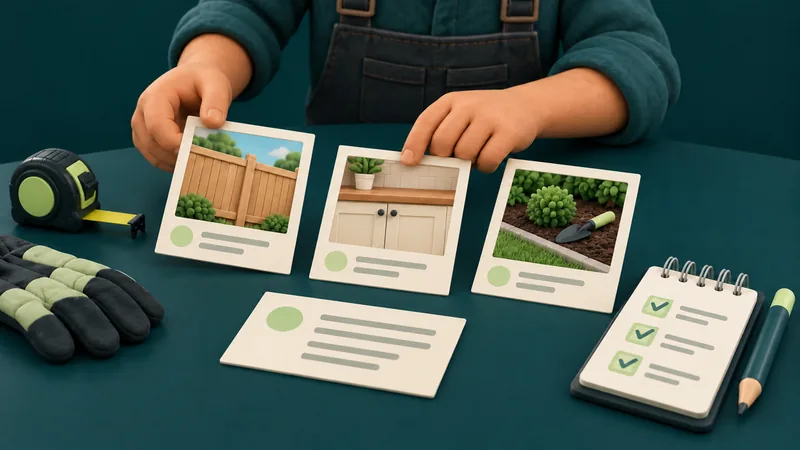
Choose job photos that help a customer understand the work you do, then add a short, factual caption and confirm permission to publish. A useful gallery connects a visible project to a service. It should let a prospective customer assess whether the work resembles what they need.
Use the photo selection sheet to record the image's purpose, permission evidence, caption and publication decision. Keep the private rights and customer records outside the public gallery.
Decide What Each Photo Needs to Show
Start with the services you want customers to understand. For each service, ask what a photograph can show honestly: the finished space, a relevant detail, the scale of the work or a documented part of the process.
A wide view can explain the whole project. A close view may show a finish or component that matters to the buyer. Several near-identical shots may contribute little, even if you have dozens to choose from.
If those images are proposed for the homepage, compare a static opening with a controlled carousel before choosing the display.
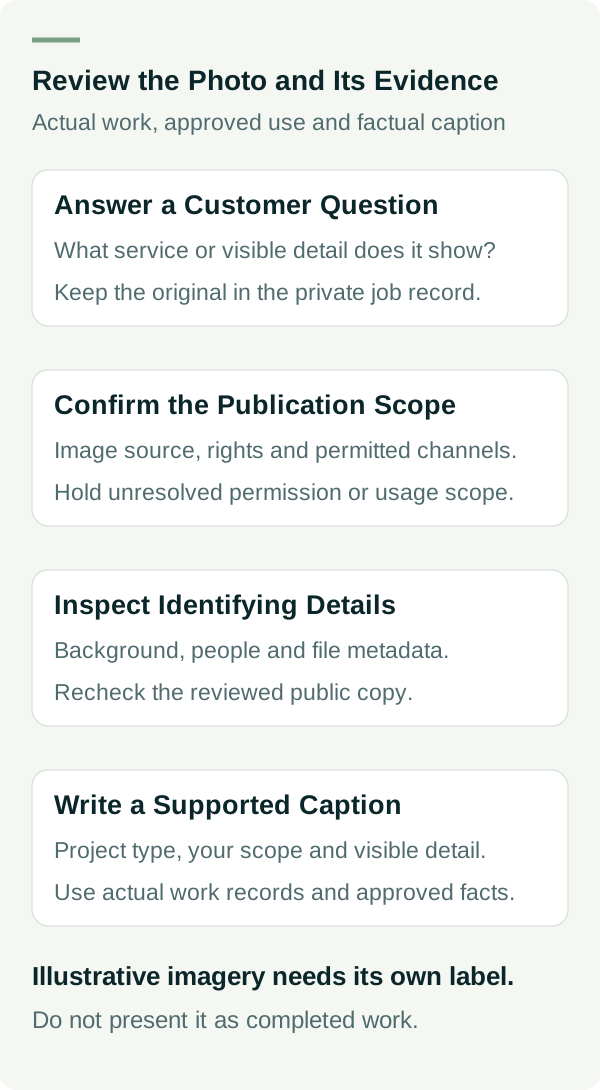
Record the customer's question beside each candidate. Examples include “Do you work on spaces like mine?” and “What did your team handle?” A photo that cannot help answer a relevant question may belong in your internal job record instead.
An image alone cannot prove hidden workmanship, qualifications or a long-term outcome. Keep those claims tied to evidence that supports them.
Confirm Rights and Publication Permission
Before publishing, establish who supplied the image and what permission you have to use it. A file being on your phone or arriving in an email is not a complete rights record. Business.gov.au's copyright guidance explains that visual images can be protected by copyright.
For a photographer-supplied image, check the agreed website use and any limits on editing, credit or reuse. For customer-supplied photos, confirm the relevant permissions rather than assuming the sender can authorise every use.
Also check publication of the premises, people and identifying details. Record the agreed channels and any limits: perhaps the work can appear on the website, but the customer's name, exact address or family photos cannot.
The permission and caption record is an operational checklist. It helps the team find evidence; it is not a legal release or a guarantee that all rights have been cleared. Put a photo on hold when the necessary permission or usage scope is uncertain.
Inspect the Background as Well as the Work
Look for house numbers, vehicle plates, faces, paperwork, screens, family photographs and security details that the customer did not intend to publish. Check the file metadata as well as the visible image before creating a public copy.
Keep the original in the appropriate private job record and make a reviewed website version. Crop or obscure identifying details where suitable and within the allowed use. Recheck the resulting image; a thumbnail may hide something that is visible when enlarged.
If protecting privacy removes the useful context, choose another photograph or explain the process without showing the premises. A permission gap is a reason to hold the image, not invent a project to replace it.
Describe Only the Work You Can Substantiate
Do not present stock photography, generated scenes or another contractor's project as a job your team completed. If a service page uses illustrative imagery, identify it appropriately rather than mixing it into completed-work evidence.
The ACCC's false or misleading claims guidance covers images and descriptions as well as written performance claims. The overall impression should match the work you can demonstrate.
If several businesses worked on the project, say what your team did. For example, “Our team installed the cabinetry shown” is a narrower claim than presenting the entire renovation as your work. Use that wording only when it is true and approved for publication.
Avoid captions such as “doubled the property's value” or “saved the customer thousands” without reliable support. A finished photo can show the result's appearance; it does not independently establish those financial outcomes.
Write a Caption That Answers a Buyer's Question
A useful caption can include the project type, your verified scope, one visible detail and a relevant limitation. Include a location only when it is accurate and approved for public use. A broad region may be enough; an exact customer address rarely helps the reader assess the work.
Use this structure as a prompt, not a mandatory formula:
Project type. Work our team performed. Detail visible in this image. Any scope or privacy context the reader needs.
The following worked example does not describe a real completed job:
Bathroom renovation with a walk-in shower and wall-mounted vanity. In this worked example, the business completed the agreed bathroom renovation scope. The photo would show the finished layout; it would not establish hidden waterproofing compliance or a measured property-value increase.
The example explains the limits of a caption rather than supplying pretend evidence for a live gallery. For your actual caption, use real project records and remove any statement they do not support.
Use Before-and-After Images Fairly
Confirm the photos belong to the same documented project. Label the stage of work and keep the comparison understandable. A progress photograph should not be labelled as the finished result.
Where practical, use a similar viewpoint and avoid edits that exaggerate the change. Routine cropping or exposure correction should preserve the actual work. Do not generate replacement fittings, remove a defect or otherwise fabricate the evidence.
Keep the claim as narrow as the record allows. “Layout before and after the documented renovation” can be supportable when the images and work record match. A broader performance claim requires its own evidence.
Give Images Useful Names and Text Alternatives
Write alt text around the useful information shown in context. A gallery image of a completed layout should describe that visible layout; it should not become a list of suburbs and trade keywords.
W3C's informative images guidance explains that text alternatives should convey the relevant information an image provides. A decorative image has a different role. Your developer should also check how linked thumbnails and enlarged images work with keyboard and assistive technology.
Google's image guidance recommends relevant surrounding text, descriptive filenames and useful alt text. These practices do not promise image rankings or enquiries.
For an example layout image, a possible filename is bathroom-walk-in-shower-layout.webp and alt text is “Bathroom layout with a walk-in shower beside a wall-mounted vanity.” The caption carries the project scope; neither filename nor alt text needs customer details.
Make the Gallery Easy to Use on a Phone
Group images so a customer can find work relevant to the service they are considering. Link to the appropriate service page where it helps them understand scope or enquire. A small, clearly explained collection may be more useful than an unlabelled wall of thumbnails.
Ask your developer to prepare suitable image sizes and compressed public copies, then review the result on a phone. Check that captions remain readable, image enlargement can be closed and useful content is not dependent on hover.
Use the worked selection example to see proposed publish, hold and exclude decisions. It contains no image files or real permissions. Before a real gallery goes live, verify each selected image against its own evidence.
If you have job photos but need help turning them into a useful website section, review our website packages or talk to Matt. Bring a summary of the services, usable images and permission gaps.