

If a website quote includes stock photos, ask which images are being licensed, whose use is covered and what records you will receive. Get the answers before approving those images for the finished site. A line saying “images included” leaves important questions unanswered.
You may be happy for the designer to choose suitable pictures. You still need a clear arrangement for using them after the build, replacing them and handing the website to another provider. Keep that arrangement with the website scope rather than relying on someone remembering where a picture came from.
Match the particular image to the permitted use and the handover record. A downloaded file, paid website invoice or attractive mock-up does not explain all three.
Identify the Images Included in the Quote
Ask whether the proposed images are stock photography, your own project photos, commissioned photography or temporary previews. These are different sources with different questions to resolve. Do not let a folder named “website photos” hide the distinction.
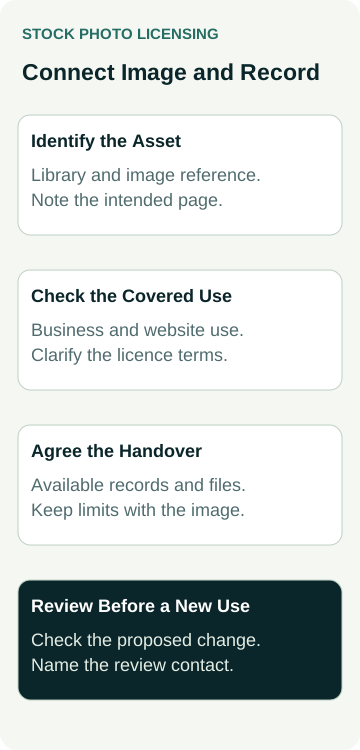
For stock images, request the library name, an asset reference or source link and the intended page. If the final selection comes later, ask how images will be presented for approval and who will check the licence before publication. The quote can describe that process without pretending the pictures have already been selected.
Confirm the allowance too: how many images are included, who pays for them and what happens if you reject a selection. Ask whether a proposed replacement changes the scope or cost. These are questions for the particular proposal, not assumptions about what every designer supplies.
When comparing the rest of the build, use our questions to ask before accepting a website quote. Keep the image arrangement specific enough that both parties can identify what has been agreed.
Check the Intended Use Against the Licence
The Australian Attorney-General’s Department explains that copyright material can be used with permission or where an applicable exception, statutory licence or expired copyright term permits it. Its guidance for copyright users recommends checking existing licence terms and seeking written permission where possible.
For a proposed stock photo, ask the provider to identify the terms covering your business website. Record the image, the intended use and any relevant restrictions. If the answer is uncertain, hold that selection while it is clarified or choose another suitable image.
Avoid treating “royalty-free” as a complete answer. Ask what the actual licence allows for this asset and arrangement. Your homepage, a paid advertisement, a printed brochure and a product for resale are separate proposed uses to check; approval for one should not become an unsupported assumption about the others.
Keep the review proportionate. You are asking for an identifiable licence and a clear explanation of the proposed use. If the terms or rights are disputed or unclear, obtain advice from an appropriately qualified adviser before relying on them. This planning record is not a legal clearance.
Clarify Who Licenses the Image for Your Business
Ask whether your business will license the image directly or the designer will arrange it for you. If the designer handles it, request an explanation of how your business’s use is covered and what evidence can be retained. Having a copy of the image file does not answer that question.
For example, Adobe Stock’s usage and licensing FAQ says an asset can be licensed on behalf of a client, with separate licensing for different client uses. It also distinguishes a right to use its images from ownership and restricts editorial-only assets from commercial promotion. These are Adobe-specific examples; check the actual supplier’s terms.
Ask how continued use will be handled if the designer’s subscription changes or your business changes provider. Do not assume either that a subscription ending removes every existing right or that every future use is covered forever. Have the provider explain the position for the selected assets and the applicable agreement.
Access to a designer’s private library account is a separate matter. Agree what records and permitted files can be supplied through an appropriate handover, without requesting shared passwords or unrelated client material.
Record the Answers Before Image Approval
Use one short record for each selected asset. Keep private purchase and permission evidence in your business records; the public website should contain only the image, credit and context appropriate to its use.
| Check | Ask the Designer | Keep With the Handover |
|---|---|---|
| Exact asset | Which library image and version will appear on which page? | Source link or asset reference and approved placement |
| Covered use | How does the licence cover this business and this website use? | Relevant terms and the explanation of the licensing arrangement |
| Display conditions | Are there credit, editing or other limits for this use? | Required wording, restrictions and the approved crop |
| Future changes | What needs checking before reuse, replacement or a provider change? | Available evidence, permitted files and the person to contact |
A receipt and the terms have different jobs. Keep the available evidence together so the person updating the website can connect the chosen picture to the arrangement. A payment record alone may not explain the licence conditions or the intended client use.
Mark unresolved points clearly. “Designer to confirm client-use arrangement before approval” gives the team a next action. “All images sorted” is too broad if someone has only picked previews. Ask the person approving the site to check the final selections against the record.
A Worked Example: Two Service-Page Images
Illustrative planning example only: no real purchase, licence, client website or rights clearance is being claimed.
An example cleaning business receives a website quote including two stock photos. The owner likes the sample layout but later wants to use one picture in a flyer. The designer has not yet supplied the final image references or explained the client-use arrangement.
The owner asks for those references, the intended website placements and the terms covering the business. The flyer is recorded as a further proposed use to check. The owner also asks what evidence and permitted files will be available if another provider updates the site later.
One sample shows an office interior. It may suit a general service introduction, but it should not be captioned as premises the cleaning business has serviced. Permission to use an image and evidence of completed work answer different questions.
The next step is to resolve the licensing and context questions before approving the final images. The example does not establish that a particular licence permits either use, that the stock image is exclusive or that the website will generate more enquiries.
Review the Finished Images in Context
Check the actual pages rather than approving from a filename list alone. Is the chosen image present? Is the intended subject still visible in the phone crop? Has any required credit been placed as agreed? Ask the editor to check the delivered text alternative for the image’s purpose.
Keep stock imagery separate from claims about your own work, team or customers. A photograph licensed for illustration should not quietly become evidence of a project you completed. Review captions and nearby headings together, including any wording added after the original selection.
If you want a gallery of real completed jobs, our project-gallery guide covers photo selection, publication permission and factual project descriptions. Stock-photo licensing does not replace that work.
Record any mismatch and who will resolve it before approval. A correct source reference does not establish that the correct picture, crop or credit reached the page. Equally, a visually tidy page does not prove that the underlying rights arrangement has been confirmed.
Keep the Image Record Useful After Handover
Name the person who will retain the records and the person to ask before a new use. Revisit the arrangement when replacing an image, moving it into advertising or making a change that may fall outside the documented use. Check the relevant terms rather than carrying forward an old assumption.
At handover, identify what was confirmed, what files and records were supplied and what remains unresolved. Keep records accessible to the business without distributing private account details. The useful outcome is that the next editor can identify the image and find the applicable evidence.
If you are discussing website packages with Australian Web Experts, bring a summary of the images you already have and where stock imagery may be needed. Ask what image selection, licensing arrangements and handover work the proposal includes, so the written scope matches the site you want built.